678 B
678 B
 Center Pivot
The Center Pivot action moves the pivot point for the Mesh to the center of the object’s bounds. For example, if you move a lot of vertices on one side of your Mesh, when you try to rotate the object, it rotates around a point outside of the Mesh.
Tip: You can also launch this action from the ProBuilder menu (Tools > ProBuilder > Object > Center Pivot).
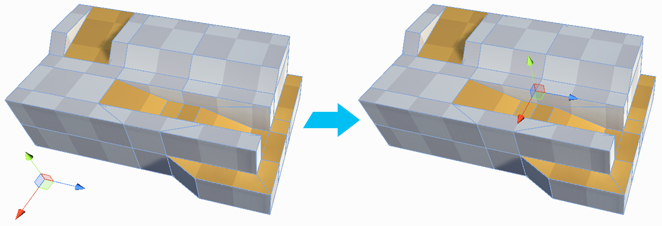
Note: If you have multiple objects selected, each object's new pivot point becomes the center of each object, regardless of the position of any other object.