565 B
565 B
 Select Edge Loop
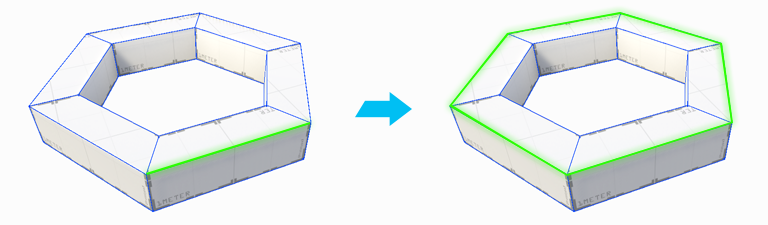
The Select Edge Loop action selects an edge loop from each selected edge. An edge loop is a series of edges that are directly connected.
Note: This action only works on quads (four-sided polygons), and is only available in edge mode.
Tip: You can also use this action with the Alt/Opt+L shortcut, or from the ProBuilder menu (Tools > ProBuilder > Selection > Select Loop).