830 B
830 B
 Merge Faces
The Merge Faces action merges selected faces into a single face, and removes any dividing edges.
Tip: You can also launch this action from the ProBuilder menu (Tools > ProBuilder > Geometry > Merge Faces).
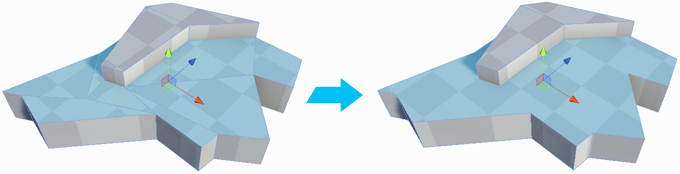
Caution: Be careful when you merge two unconnected faces, because this can produce unexpected results with any texture mapping. This action can sometimes create unusual geometry artifacts, such as vertices at T-junctions or floating (winged) vertices (that is, unused vertices sitting on an edge with no other edge passing through it). It is better to merge faces only when necessary.