629 B
629 B
 Connect Edges
The Connect Edges action inserts an edge that connects the centers of each selected edge.
Tip: You can also use this action with the Alt/Opt+E shortcut, or from the ProBuilder menu, or from the ProBuilder menu (Tools > ProBuilder > Selection > Smart Connect).
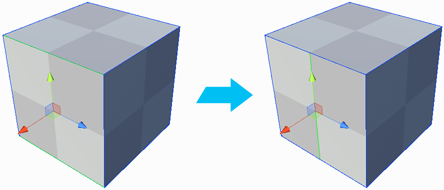
If you select more than two edges, ProBuilder creates as many new edges as possible without creating bad geometry.
You can connect across several faces, as long as they share a selected edge.