0b17fb3bcf
|
||
|---|---|---|
| .. | ||
| readme | ||
| README.md | ||
| colorpicker_presets.gd | ||
| colorpicker_presets.gd.uid | ||
| plugin.cfg | ||
| presets.gpl | ||
README.md
GDQuest ColorPicker Presets
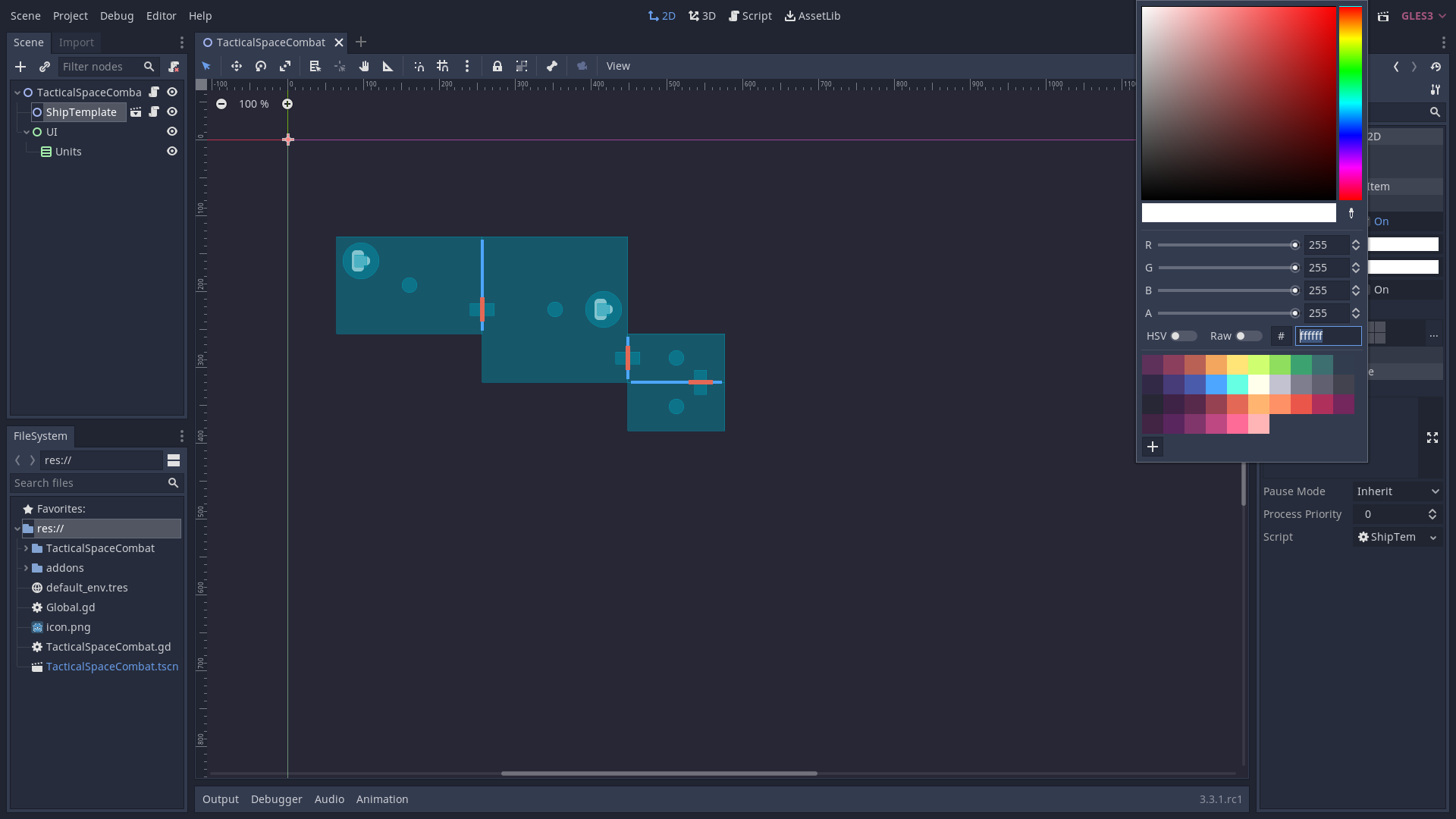
Reads a color presets gpl (GIMP Palette) file in the addon local directory, called presets.gpl. It adds the colors to the editor ColorPicker for quick access.
This repository includes a presets.gpl file as an example. It's the official GDQuest color palette.
✗ WARNING
Compatible: Godot
>= v4.0
The addon:
- Doesn't check the length of the color palette/file.
- Overwrites the ColorPicker presets whenever you reopen the project or re-enable the addon.
✓ Install
Using Godot Package Manager
gpm init.- Follow instructions with NPMjs package.
- Enable the addon from
Project > Project Settings... > Plugins. - Profit.
Manual
- Make a new folder at
res://addons/colorpicker_presets/. - Copy the contents of this repository into
res://addons/colorpicker_presets/. - Replace
res://addons/colorpicker_presets/presets.gplwith your preferred version. - Enable the addon from
Project > Project Settings... > Plugins. - Profit.

Where do I find the presets?
They'll be available in the editor ColorPicker.