mirror of https://github.com/TriliumNext/Notes
documentation-toolelectronknowledge-graphknowledgebaselocal-firstmarkdownnote-managmentnote-taking-appnotebooknotespersonal-wikiscriptableself-hostedself-hostingtriliumtrilium-nexttriliumnextwikiwysiwyg
 8ce3c1a480
|
||
|---|---|---|
| .idea | ||
| bin | ||
| db | ||
| docs | ||
| src | ||
| .dockerignore | ||
| .gitignore | ||
| Dockerfile | ||
| LICENSE | ||
| README.md | ||
| config-sample.ini | ||
| electron.js | ||
| jsdoc-conf.json | ||
| package-lock.json | ||
| package.json | ||
| trilium.iml | ||
README.md
Trilium Notes
 Trilium Notes is a hierarchical note taking application. Picture tells a thousand words:
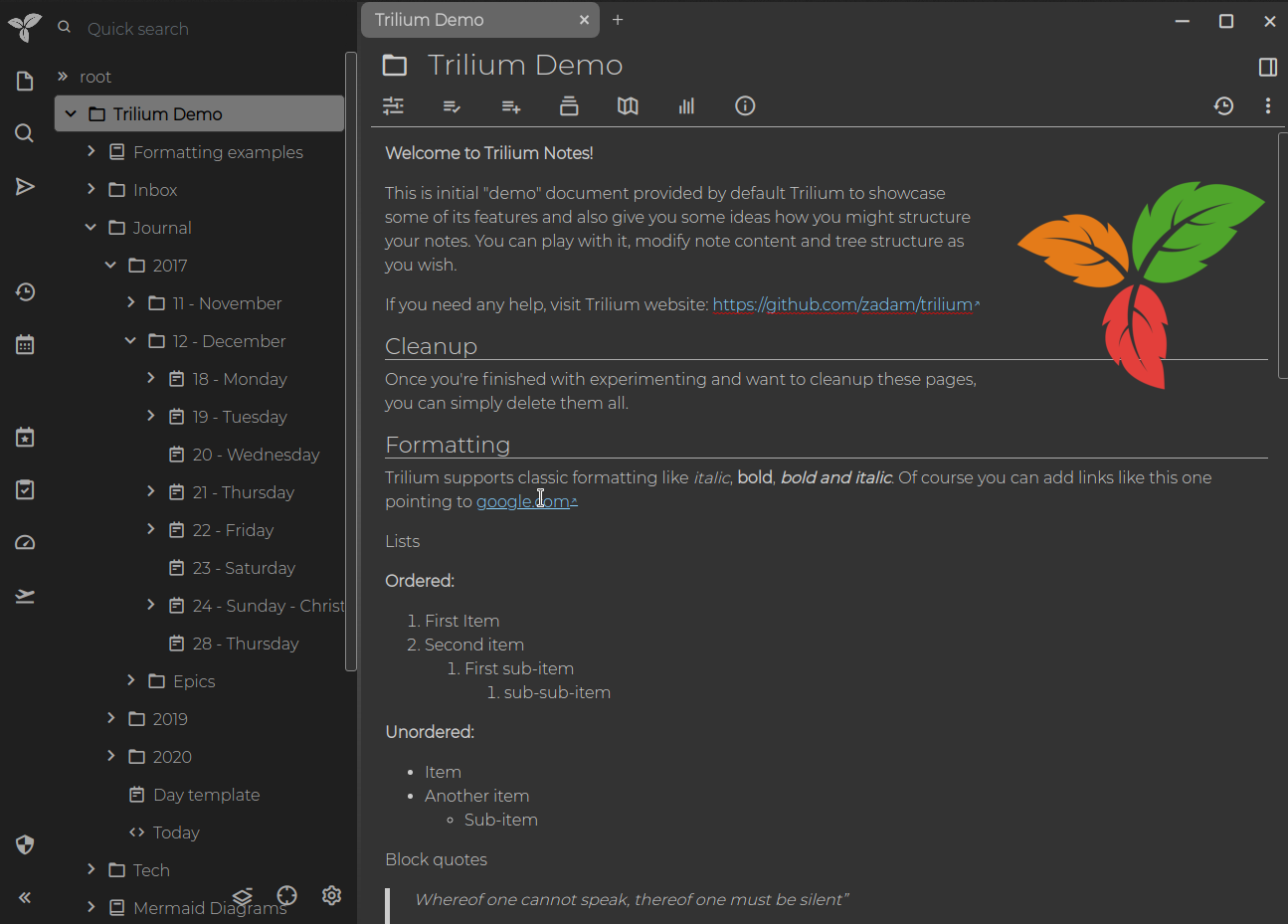
See other pictures in screenshot tour.
Features
- Notes can be arranged into arbitrarily deep hierarchy (tree)
- Notes can have more than 1 parents - see cloning
- Rich WYSIWYG note editing including e.g. tables and images with markdown autoformat
- Support for editing notes with source code, including syntax highlighting
- Fast and easy navigation between notes
- Seamless note versioning
- Note attributes can be used for note organization, querying and advanced scripting
- Synchronization with self-hosted sync server
- Strong note encryption
- Relation maps for visualizing notes and their relations
- Scripting - see Advanced showcases
- Scales well in both usability and performance upwards of 100 000 notes
- Night theme
- Evernote and Markdown import & export
Builds
Trilium is provided as either desktop application (Electron-based) or web application hosted on your server.
- If you want to use Trilium on the desktop, download binary release for your platform (currently Linux and Windows are supported) from latest release, unzip the package and run
triliumexecutable. - If you want to install Trilium on server, follow this page.
- Currently only recent Chrome and Firefox are supported (tested) browsers.