mirror of https://github.com/TriliumNext/Notes
documentation-toolelectronknowledge-graphknowledgebaselocal-firstmarkdownnote-managmentnote-taking-appnotebooknotespersonal-wikiscriptableself-hostedself-hostingtriliumtrilium-nexttriliumnextwikiwysiwyg
 8c79779060
|
||
|---|---|---|
| bin | ||
| db | ||
| doc | ||
| migrations | ||
| public | ||
| routes | ||
| services | ||
| test | ||
| views | ||
| .gitignore | ||
| LICENSE | ||
| README.md | ||
| app.js | ||
| build.sh | ||
| config-sample.ini | ||
| export-schema.sh | ||
| generate-cert.sh | ||
| index.js | ||
| package-lock.json | ||
| package.json | ||
| set-build.sh | ||
README.md
Trilium
Hierarchical note taking application.
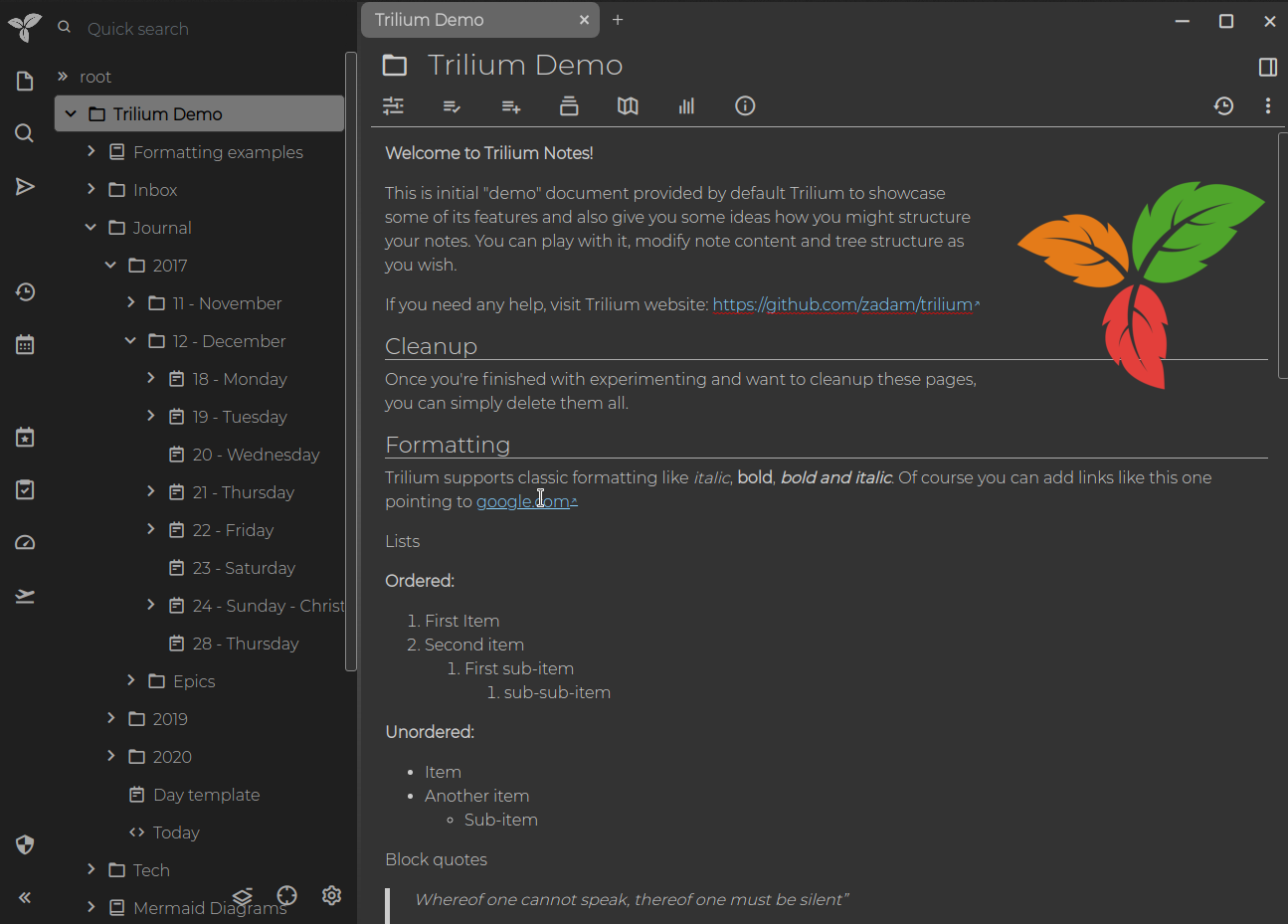
Features
- Notes can be arranged into arbitrarily deep hierarchy
- Notes can have more than 1 parents - see cloning
- WYSIWYG (What You See Is What You Get) editing
- Fast and easy navigation between notes
- Seamless note versioning
- Can be deployed as web application and / or desktop application with offline access (electron based)
- Synchronization with self-hosted sync server
- Strong note encryption
Builds
- If you want to install Trilium on server, follow this page
- If you want to use Trilium on the desktop, download binary release from [releases], unzip the package and run
triliumexecutable.
Supported platforms
Desktop (electron) builds are available for Linux and Windows.
Requirements for web based installation are outlined in (https://github.com/zadam/trilium/wiki/Installation-on-server).
Currently only recent Chrome and Firefox are supported (tested) browsers. Other modern browsers should work as well.
Documentation
See wiki for complete list of available pages.